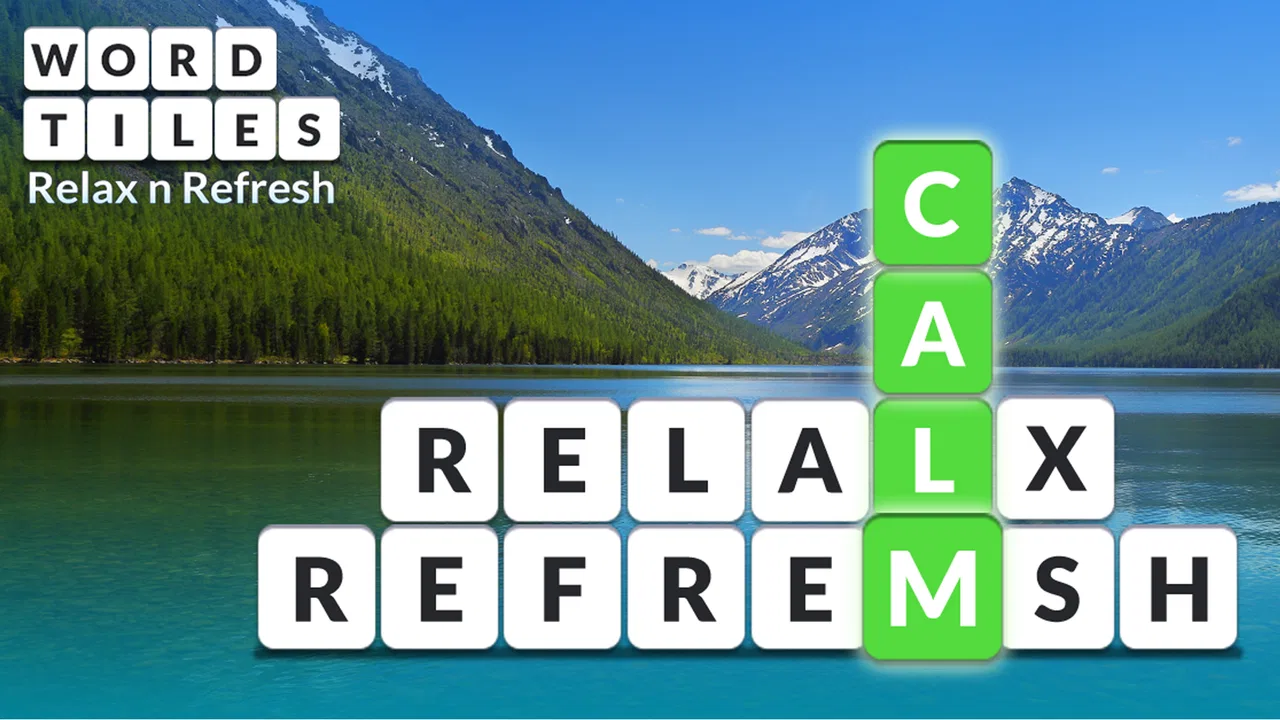
Word Tiles: Relax n Refresh
- 4.6
- Rating
- 1.00M
- Installs
- Free
- Price
 Analysis by App-foxy
I enjoy word games most when they give me something to focus on without demanding a long session. Word Tiles: Relax n Refresh fits that mood well: it is a free word game from Puzzle1Studio built around arranging letters into words, with a simple presentation that makes it easy to start and stop. I found it more suitable for short breaks than for an intense, competitive gaming session, and that distinction matters before you download it.
The game is available for everyone and has reached over one million installs, which gives it a fairly broad audience. Its average rating sits at 4.6 from around 25 thousand ratings, while the store shows roughly 8.6 thousand written reviews. Those figures suggest that the basic idea works for many players, but they do not tell the whole story. The real question is whether its pace, word challenge, and monetization style match the way you like to play.
How Word Tiles feels during ordinary play
I find the best way to judge this game is to notice what happens between opening a puzzle and deciding to play another one. This section looks at the small choices that shape an ordinary session, including how I approach the tiles and what makes the pace feel approachable. It also sets up a closer look at the feedback that keeps each solve moving.
You May Also Like

 Blood Strike: 2.5 Anniversary
Blood Strike’s Loadouts Turn Every Drop Into a Tactical Gamble
A close look at Blood Strike’s custom loadouts: how fast access to signature weapons reshapes its battle royale rhythm, rewards preparation, and narrows the gap between fights.

 Pandora - Music & Podcasts
Pandora’s Music Is Easy to Start, but Harder to Recover
Pandora’s strength is its low-effort path from a seed to a station. Its weak spot is how much confidence it asks you to place in connection, setup, and quiet recovery.

 8 Ball Pool
 Is Built on Rivalries, Rematches, and Routine
A close look at the rivalries, rematches, shared routines, and unanswered safety questions that turn a quick pool match into a persistent mobile community.

 Samsung Music
’s Quiet Strength Is Playing What You Already Own
Its reach comes less from spectacle than from dependable access to a personal library. That simplicity is both the app’s strongest retention engine and its ceiling.

 AccuWeather: Weather Radar
AccuWeather Review: A Quick, Clear Forecast for Everyday Decisions
For everyday plans, the best forecast is the one you can understand quickly. AccuWeather makes rain timing, radar, and local conditions easy to act on, with a few trade-offs.

 Hill Climb Racing
Why Hill Climb Racing Still Turns Crashes Into One More Run
A tiny car, a bumpy hill and one more upgrade: Hill Climb Racing keeps resurfacing because its simple chaos makes every near-miss feel personal.
More From Our News Desk



A gentle pace rather than a race against the clock
My first impression is that the game is designed to feel calm. The central activity is recognizing possible words from available tiles, so the challenge comes from vocabulary and attention rather than fast tapping. That makes it a good choice when I want a mental reset during a commute, while waiting for an appointment, or at the end of the day when a more demanding game would feel like work.
The speed expectations are therefore different from those of a word-search game built around a timer or a competitive puzzle with a leaderboard. You can approach each arrangement carefully, test likely combinations, and look for shorter words before committing to the obvious answer. Players who enjoy thinking in silence will probably appreciate that rhythm. People who need constant action may find it too restrained.
One useful habit is to avoid locking onto the longest-looking word immediately. I get better results by scanning the tiles in three passes: first for familiar short words, then for common endings and beginnings, and finally for less obvious combinations. This approach turns a vague jumble into a repeatable routine and is especially helpful when I am playing while tired.
What happens when I use it in short breaks
A realistic everyday use case is a five-minute pause between tasks. I can open a level, work through a few arrangements, and put the phone away without needing to remember a complicated storyline or a large set of controls. That low commitment is one of the strongest reasons to choose this particular word game over a longer puzzle title.
It also works for players who want to keep their language skills active in a light way. I would not treat it as a formal vocabulary course, because casual word puzzles do not replace structured learning. Still, searching for combinations encourages me to notice spelling patterns and familiar word shapes. If you play with a child, the Everyone content rating makes the game broadly approachable, although younger players may still need help with unfamiliar vocabulary.
For older players or anyone returning to mobile games, the straightforward format is less intimidating than a title filled with menus, character upgrades, or complicated objectives. The trade-off is that experienced word-game fans may want deeper strategy than tile arrangement alone provides. The appeal depends on whether you value accessibility more than variety.
Where the challenge becomes more demanding
The most mentally tiring moments arrive when the obvious words have already been used. At that point, progress depends on slowing down rather than tapping faster. I look for common letter pairs, consider whether a word can be formed in a different order, and deliberately stop repeating the same unsuccessful guess. That small change in method often helps more than simply staring at the screen.
A practical tip is to take a short pause when I have been circling the same tiles. Because the game is intended for relaxation, forcing a solution can undermine its best quality. Closing the session and returning later is not a failure; it is a sensible way to use a casual word puzzle. The format rewards fresh attention more than prolonged frustration.
Heavy use can also expose a limitation common to this kind of game: once the basic pattern becomes familiar, the experience may feel repetitive. I would not choose it as my only mobile game for long daily sessions. It is better as part of a small rotation, alongside a more strategic word title, a crossword app, or another genre entirely.
Stability and recovery in normal use
In ordinary play, I expect a game with this focused design to feel easier to manage than a large action game with complex graphics and many active systems. The screen is devoted to the word task, so there is less visual clutter competing for attention. That simplicity is valuable when I am using an older phone or trying to conserve concentration.
I still recommend treating it like any free mobile game: keep the application updated when a newer version is offered and avoid opening it in the middle of a device slowdown if you are trying to preserve an uninterrupted session. The current version is 2606.0.2, and the minimum requirement is Android 6.0. That makes it compatible with a wide range of Android devices, including phones that are no longer new.
Recovery matters more than people expect in a puzzle game. If I am interrupted by a message or need to switch tasks, a short-session design makes it less painful to leave and return. I would still avoid assuming that every unfinished moment will behave exactly like a saved checkpoint, so I prefer to finish a small section before closing the app when the answer is nearly complete. That is a cautious playing habit rather than a claim about a specific save system.
Another sensible routine is to restart my thinking, not necessarily the application, when I get stuck. I reread the available tiles from left to right, then from right to left, instead of repeatedly tapping the same choices. This reduces accidental repetition and gives the puzzle a fresh visual structure. It is a simple technique, but it makes the game feel more reliable because my own process becomes more consistent.
Performance expectations on different phones
The Android 6.0 minimum is encouraging for people with older hardware. It means the game is not reserved for recent flagship phones, and its word-focused format should be less demanding than a modern 3D game. Even so, compatibility is not the same as identical performance on every device. Older phones may have less free storage, slower app switching, or more aggressive background management.
If I were installing it on a budget phone, I would first close unused applications and make sure the system has breathing room. That is useful advice for any game, but it matters particularly when the phone is already struggling with several background tasks. A word puzzle does not need extreme graphical power, yet a crowded device can still make opening, switching, or returning to an app feel less smooth.
Resource demands are also relevant for people who play while traveling. The game’s compact word-play concept is naturally more practical than a graphics-heavy title when battery life and data use are concerns, but I would not promise a specific battery or network result without testing the same device under the same conditions. My practical conclusion is simply that the game’s design is better aligned with modest hardware than demanding action games are.
On a newer phone, the main performance benefit is not spectacular graphics; it is the lack of unnecessary friction. Menus and tile interactions have room to feel immediate because the task itself is uncomplicated. That makes the game pleasant for quick sessions, though players looking for visual richness will find little reason to choose it over a more elaborate puzzle experience.
Free access and the purchase decision
The game is free to download, which makes trying it low-risk. It includes in-app purchases ranging from $0.99 to $99.99 per item, so I would pay attention to the purchase flow rather than assuming that every useful option is included without cost. The wide range means different players may encounter different spending choices, and anyone sharing a device should use the operating system’s purchase controls.
My advice is to play long enough to decide whether the core word routine is enjoyable before spending anything. A purchase cannot fix a mismatch between your preferred pace and the game’s relaxed structure. If you already like the basic tile challenge, optional spending may feel reasonable; if you find the repetition dull, paying will not change the underlying style.
This is also where the game differs from paid word puzzles. A paid alternative may offer a cleaner one-time purchase experience, while this free model is easier to sample but requires more awareness around optional purchases. Neither approach is automatically better. The right choice depends on whether you prefer zero upfront cost or a more predictable payment model.
How it compares with other word games
Compared with crosswords, this game feels more accessible because it does not require knowledge of clues, trivia, or a particular subject area. Compared with word-search games, it asks for more active construction rather than simply spotting words hidden in a grid. Compared with competitive word titles, it is less about speed, ranking, or proving that I can react faster than another player.
That middle ground is its identity. It is suitable for someone who likes forming words but does not want a dense newspaper-style puzzle. It is also a reasonable first step for a casual player who finds larger word-game interfaces confusing. On the other hand, crossword fans may miss clue depth, Scrabble-style players may want stronger tactical control, and competitive players may lose interest without a more social or high-pressure structure.
I would choose a crossword app when I want a themed challenge and a sense of discovery. I would choose a competitive word game when I want urgency or interaction with other players. I return to this one when I want a quieter activity that can fit around the rest of my day. That division of use cases is more helpful than calling one format universally superior.
Who should install it and who should skip it
I recommend giving it a try if you enjoy vocabulary puzzles, prefer short sessions, or want something that can run on an older Android phone. It is especially appealing to players who like solving at their own pace and do not need a story, complex progression system, or dramatic presentation to stay interested.
I would be more cautious if you need a constantly changing challenge, dislike optional purchase prompts, or expect every session to feel substantially different. People who want advanced word strategy should look toward a richer crossword, anagram, or competitive title. Likewise, anyone seeking a game for group play should not choose this as their main option unless the individual puzzle format is already what they want.
Families may appreciate the Everyone rating and straightforward subject matter, but I would still encourage parents to check purchase settings before handing over a phone. The game can be a pleasant shared vocabulary activity, yet younger players may interpret unfamiliar words as obstacles rather than learning opportunities. Helping them discuss possible letter patterns makes the experience more rewarding than simply giving away answers.
My final performance verdict
After considering its pace, device requirements, and everyday usefulness, I see Word Tiles: Relax n Refresh as a focused casual game rather than an all-purpose word platform. Its strongest quality is the balance between mental activity and low pressure. I can use it for a short reset, return after an interruption, and play without learning a complicated system.
The limitations are equally clear. The relaxed structure will not satisfy everyone, and repeated tile-based solving may lose its appeal during long sessions. The free model also calls for sensible attention to optional purchases. These are not deal-breakers for the right player, but they should shape expectations before installation.
Puzzle1Studio has made a word game that is easiest to recommend to people who want convenience, calm, and a familiar puzzle loop. The Android 6.0 support broadens its usefulness, while the free entry point makes experimentation simple. I would install it for quiet breaks and light vocabulary practice, keep another word game available for deeper challenges, and avoid treating it as a substitute for a full crossword or competitive match.
My honest recommendation is straightforward: try it if you want a gentle word-focused distraction that respects short sessions. Choose it for relaxed tile solving, not for speed records or deep strategic variety. Used with that expectation, it can be a dependable little companion on an everyday phone, especially when I want to refresh my attention without committing to a demanding game.
FAQs for Word Tiles: Relax n Refresh
01What is Word Tiles: Relax n Refresh?
Word Tiles: Relax n Refresh is a casual word puzzle game designed for short, calming play sessions. It typically challenges you to arrange or connect letter tiles to form words and complete level objectives. The relaxed presentation makes it suitable for players who enjoy vocabulary games without the pressure of a fast timer or competitive action. Difficulty gradually increases as you progress.
02How is the gameplay in Word Tiles: Relax n Refresh?
The gameplay is easy to understand: you select, connect, or arrange available letter tiles to create valid words and solve each puzzle. Early levels work as a gentle introduction, while later stages require more careful thinking and a broader vocabulary. The game is a good fit for casual players, although some puzzles may feel repetitive if you prefer constantly changing mechanics.
03Can I play Word Tiles: Relax n Refresh offline?
Many of the core word puzzles can generally be enjoyed without a continuous internet connection, which makes the game convenient for travel or situations with limited connectivity. However, certain features may still require internet access, including advertisements, cloud synchronization, updates, or optional purchases. It is best to launch the game online at least once and check which functions remain available offline.
04Is Word Tiles: Relax n Refresh free to download?
Word Tiles: Relax n Refresh is generally offered as a free download, allowing you to try its main puzzle experience without paying upfront. Like many free mobile games, it may include advertisements, optional in-app purchases, or paid features that can affect the overall experience. Before downloading, review the store listing for current pricing, supported devices, and purchase details.
05Is Word Tiles: Relax n Refresh suitable for all ages?
The game is generally suitable for players who enjoy word puzzles and relaxed casual entertainment, including older children, teenagers, and adults. Its main challenge comes from vocabulary and problem-solving rather than combat or complicated controls. Parents should still review the app-store age rating and privacy information, particularly because advertising, analytics, or optional purchases may be included depending on the version.
Pros
- Simple word puzzles are easy to learn and suitable for casual players.
- Short levels make it convenient to play during quick breaks.
- Calm presentation creates a relaxing alternative to competitive games.
- Offline play is useful when traveling or without a stable connection.
- Gradual challenges can help keep daily puzzle sessions engaging.
Cons
- Some levels may feel repetitive after extended play sessions.
- Hints can reduce the satisfaction of solving tougher puzzles.
- The game may become too easy for experienced word-game fans.
- Progression can feel slow if you prefer faster rewards.
- Ads may interrupt the relaxed flow for free players.

Word Tiles: Relax n Refresh
Gallery